
02. Deploy to Cloudflare
Path B (Dev Console) — Fully automated. If you prefer CLI, see Path A.
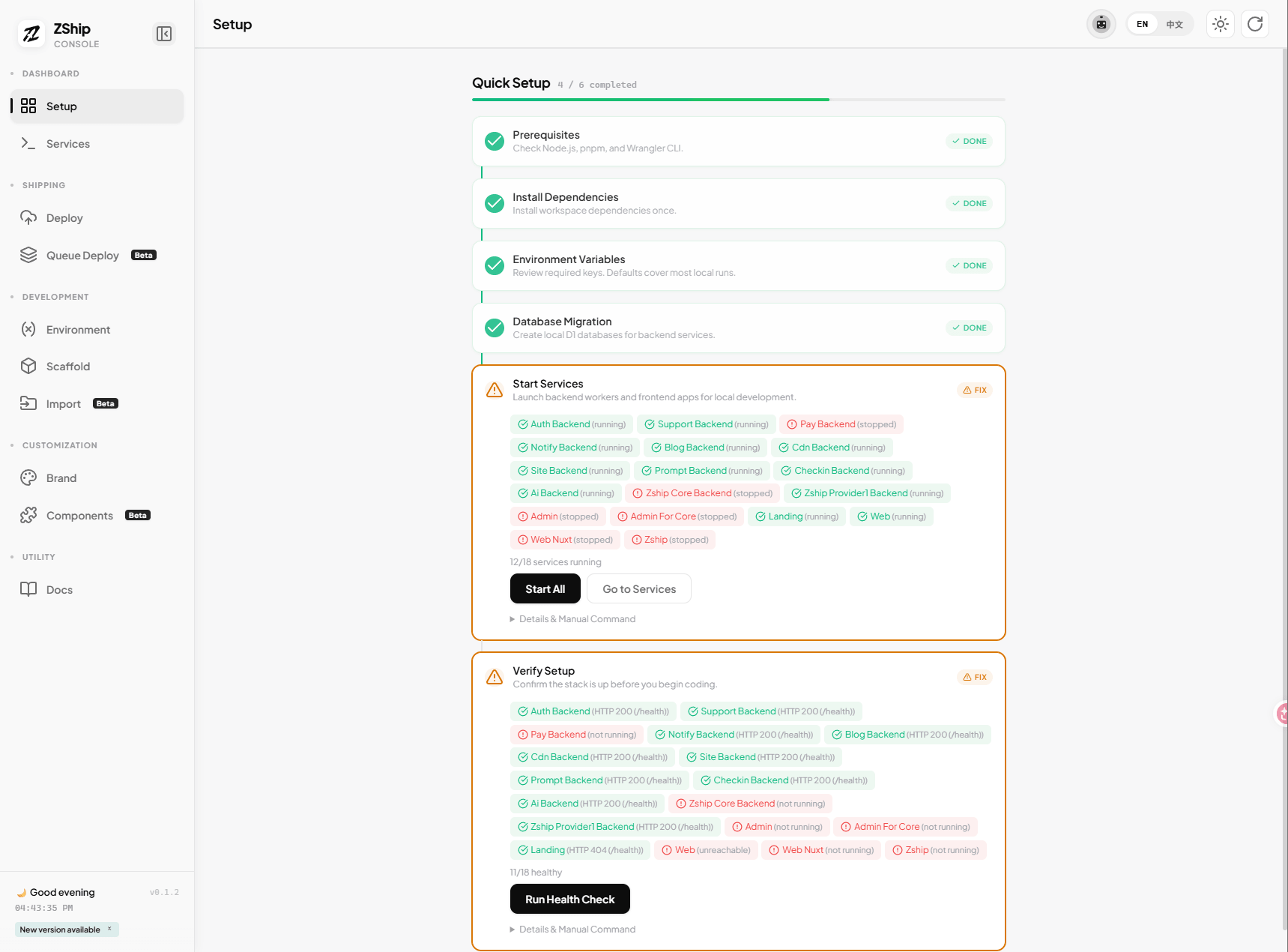
1. Open Dev Console → Deploy tab
Section titled “1. Open Dev Console → Deploy tab”- Run
pnpm dev:consolefrom the repo root. - In the Dev Console menu, switch to Deploy (云端部署).
- You will see the deployment pipeline with steps 0–6.
2. Click Run All
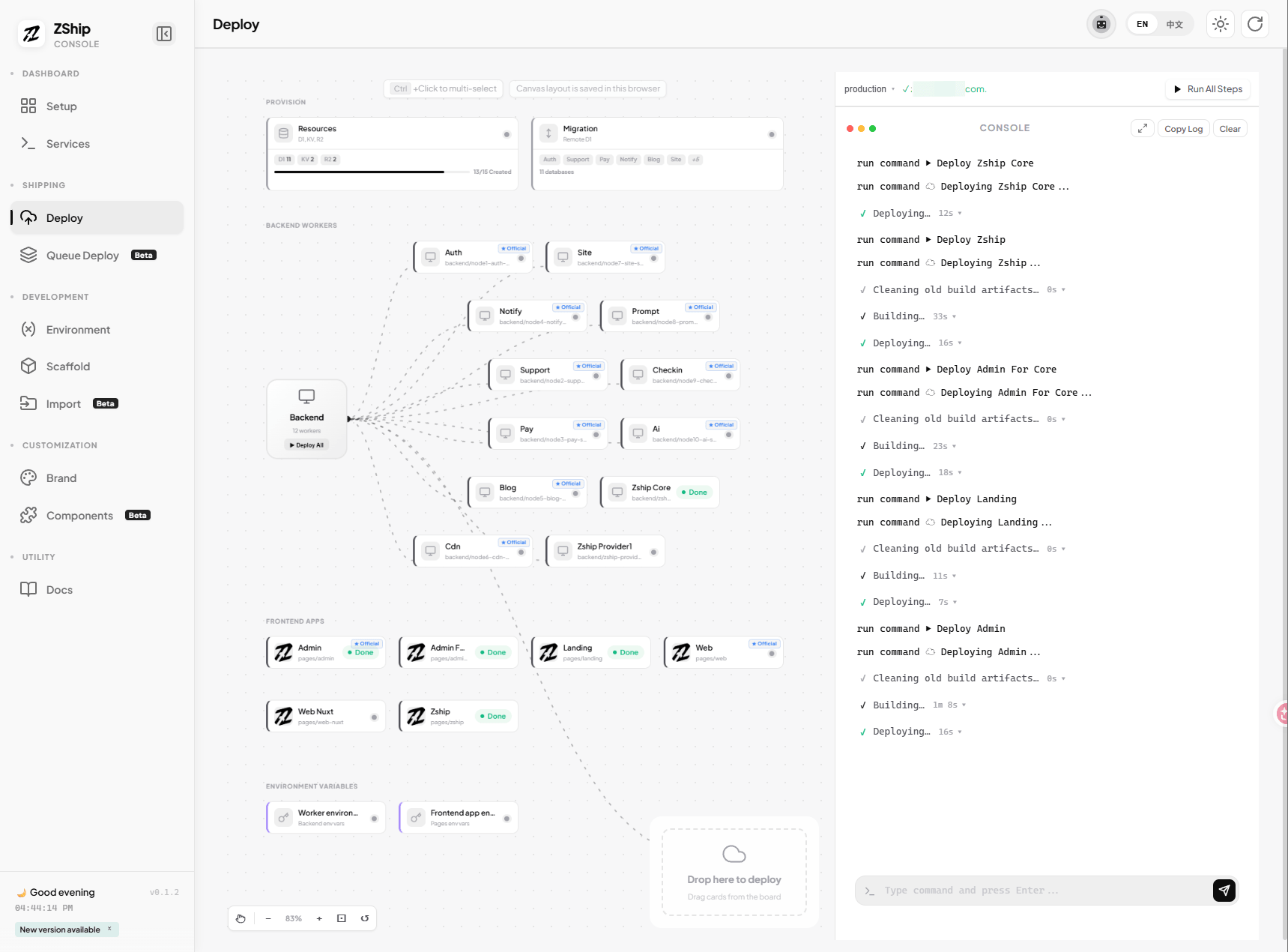
Section titled “2. Click Run All”Click Run All (执行全部步骤).
The pipeline will automatically:
- Step 0 — pnpm install
- Step 1 — Create D1, KV, R2 resources
- Step 2 — Run D1 database migrations
- Step 3 — Deploy all 11 core Workers to Cloudflare
- Step 5 — Deploy the core frontend apps (
apps/web-astroandapps/admin)
No manual creation. No separate commands for the core delivery path. Optional apps and value-added Workers can be deployed from their own cards.
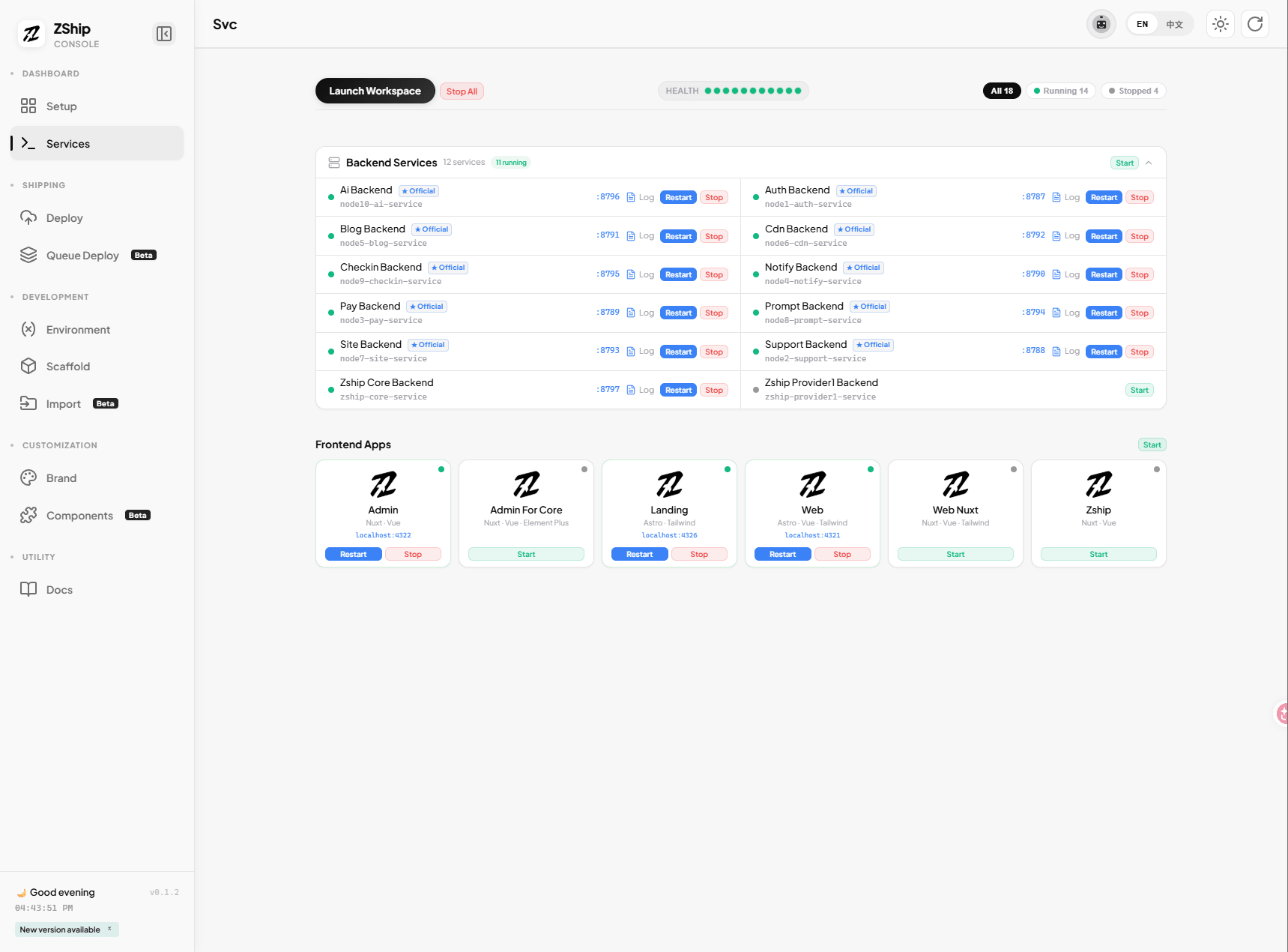
3. Fill secrets if needed
Section titled “3. Fill secrets if needed”Before or after the first run, fill auth secrets in the Environment / Secrets section (e.g. JWT_SECRET, ADMIN_SECRET for node1-auth). If not filled, defaults are used (e.g. REPLACE_WITH_STRONG_JWT_SECRET). ADMIN_SECRET is the key for accessing the admin panel.
4. Next steps
Section titled “4. Next steps”Once deployment completes, proceed to 05. Domains & Environment and 06. Initialize System.