
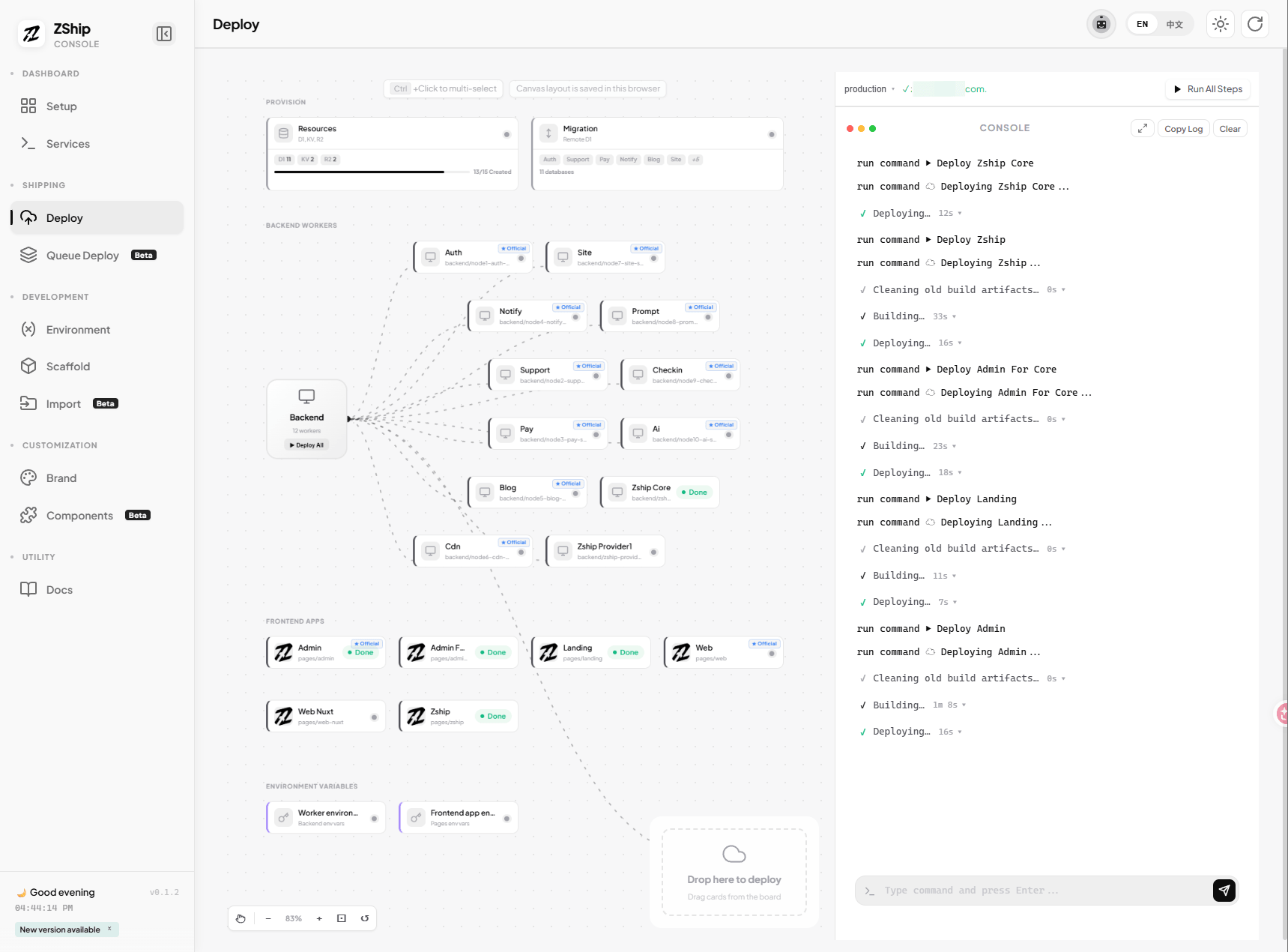
03. Deploy Backend Workers
Path B (Dev Console) — This chapter is for the Dev Console workflow. If you prefer CLI commands, see Path A: Deploy Backend Workers.
Deploy the 11 core Workers (node1-auth through node11-email) only. Value-added services (e.g. zship-provider1-service) are not included.
1. Fill required secrets first
Section titled “1. Fill required secrets first”In Dev Console → Deploy tab → Environment / Secrets section:
- Fill the auth-related secrets for
node1-auth-service(required for login and initialization). - Fill any other mandatory backend startup values.
- Optional: payment provider keys (Stripe, Creem) and AI provider keys can be added later if your launch does not depend on them immediately.
2. Run remote migrations via Dev Console
Section titled “2. Run remote migrations via Dev Console”Before deploying code, run remote database migrations:
- In Dev Console → Deploy tab → Migration section.
- Click Migrate All (or migrate each backend one by one).
- Wait for all migrations to complete. The Workers expect schemas and tables to exist; deploying before migration often causes confusing runtime failures.
3. Deploy backend Workers via pipeline
Section titled “3. Deploy backend Workers via pipeline”In Dev Console → Deploy tab → Pipeline:
- Ensure steps 0 (pnpm install) and 1 (Provision Resources) are done from the previous chapters.
- Step 2 (Remote Migration) should be done from the previous section.
- Click Run All to execute the pipeline, or run step 3 (Deploy Backend) only.
- The Dev Console will deploy each Worker in sequence. Watch the console log for progress and errors.
Alternative: deploy individual Workers
Section titled “Alternative: deploy individual Workers”You can also deploy Workers one by one from the canvas cards. Click the Deploy button on each backend service card.
4. If you see “binding target not found”
Section titled “4. If you see “binding target not found””Common causes:
- Renamed Workers — If you changed default Worker names, bindings will not match.
- Deploy order — Workers are created on first deploy. If a service binding fails, the target Worker may not exist yet; try running Run All so the pipeline deploys in dependency order.
- Wrong account — Resources created in account A but Wrangler logged into account B.
5. Checklist before you leave this chapter
Section titled “5. Checklist before you leave this chapter”- Required auth secrets are filled
- Optional payment/AI secrets filled if needed
- Remote migrations have run successfully
- All 11 core Workers deployed successfully
- No binding-not-found errors blocking startup
Once all of that is stable, you are ready for the frontend.